Play the rig with your fingertips
Fingerlight turns a touchscreen into a live lighting instrument. Your fingers drive GPU effects, the picture goes out as NDI to your lighting desk, and out to your rig.
Enter code SWOOSH at checkout: $49 Black Friday to Cyber Monday, then $99 · 14-day money-back · v2.0.2 · Windows · per-user install, no admin
Windows or your antivirus may warn about new software. The 30-second fix
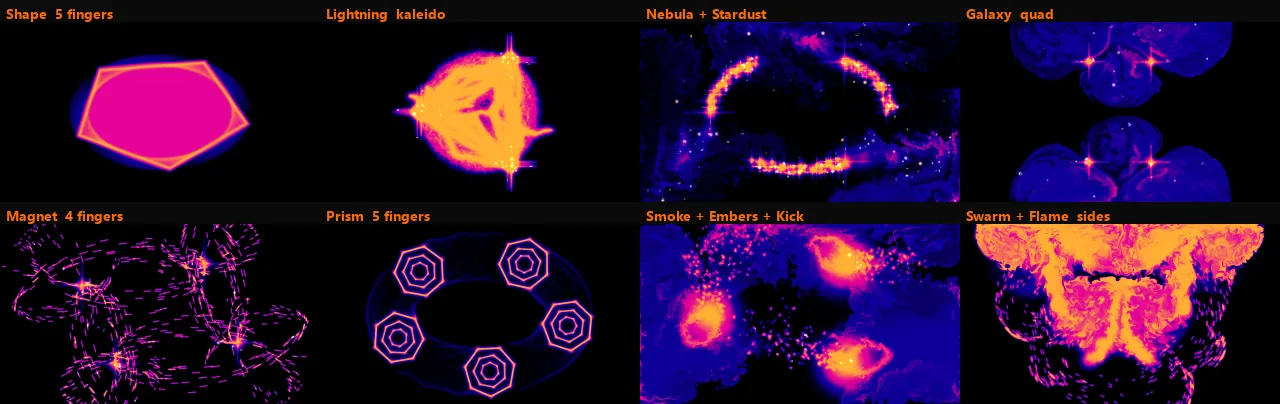
Six effects from the library, simplified to run in a browser. The app renders all 84 on the GPU.
The screen plays. The desk stays in charge.
Fingerlight runs next to the console on any Windows machine with a touchscreen. Nothing runs by itself: lift every finger and the output fades to black, so it never fights your cues.
Fingers on glass
Every finger is an input. More fingers unlock more on MULTI effects.
GPU effects
Fluid, particles, beat-locked and pixel effects, layered and mirrored in real time.
Video into your desk
Map the feed onto LED walls, pixel strips or fixture grids. → NDI source
Your desk steers it
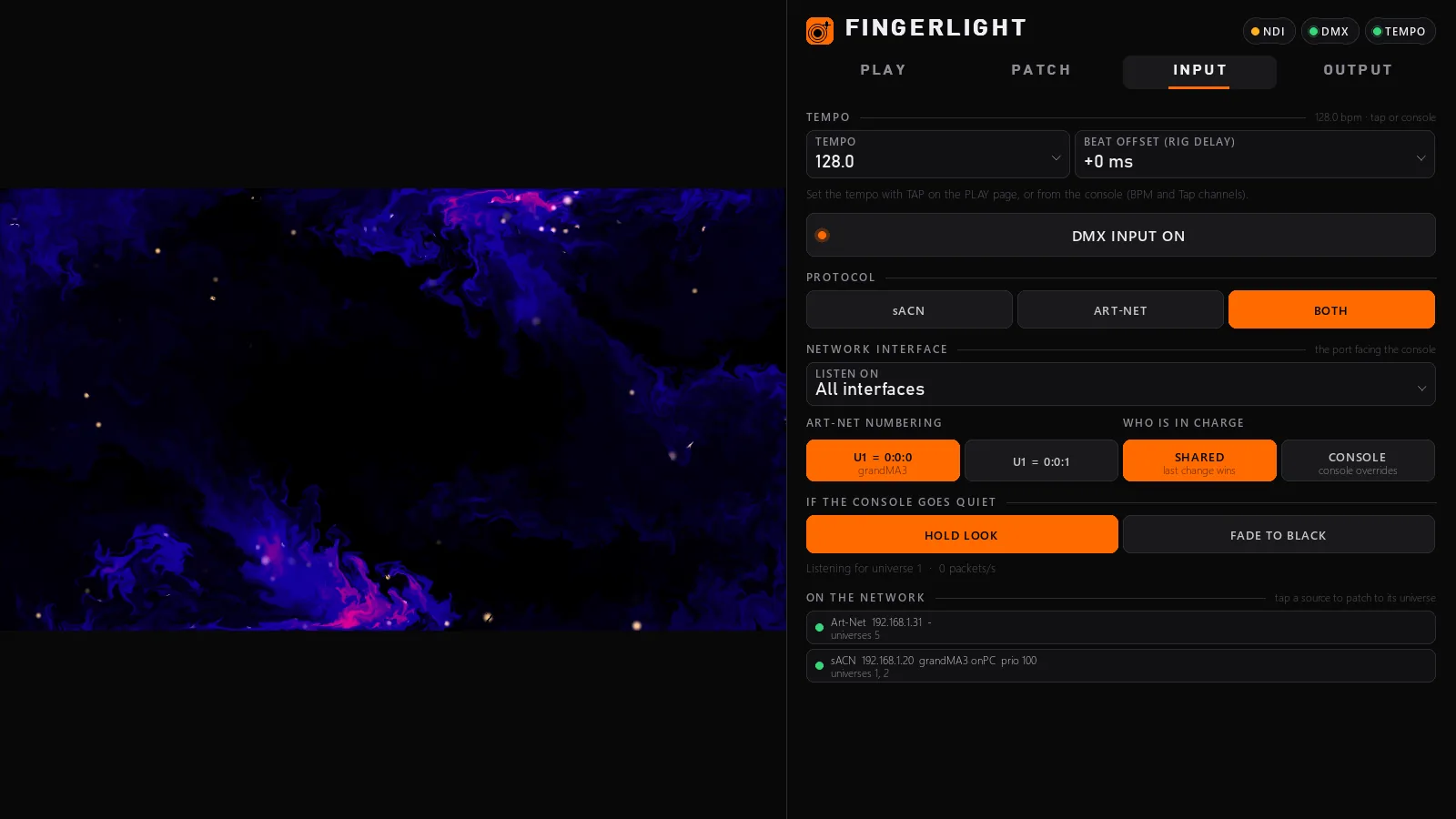
Colours and a 14-channel control fixture come back over DMX. ← sACN / Art-Net
See the whole app
Real screenshots. Swipe, drag or use the arrows.
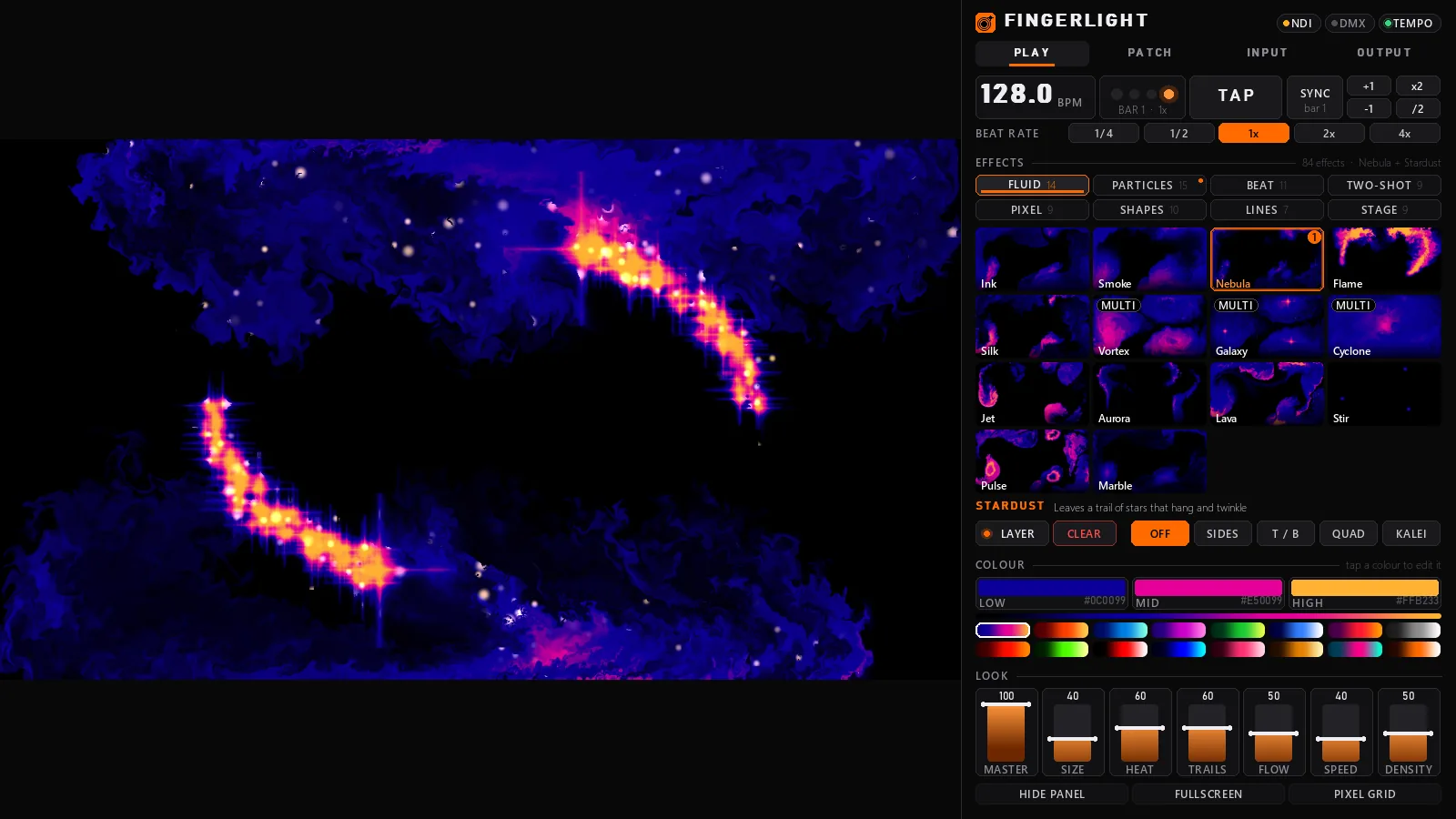
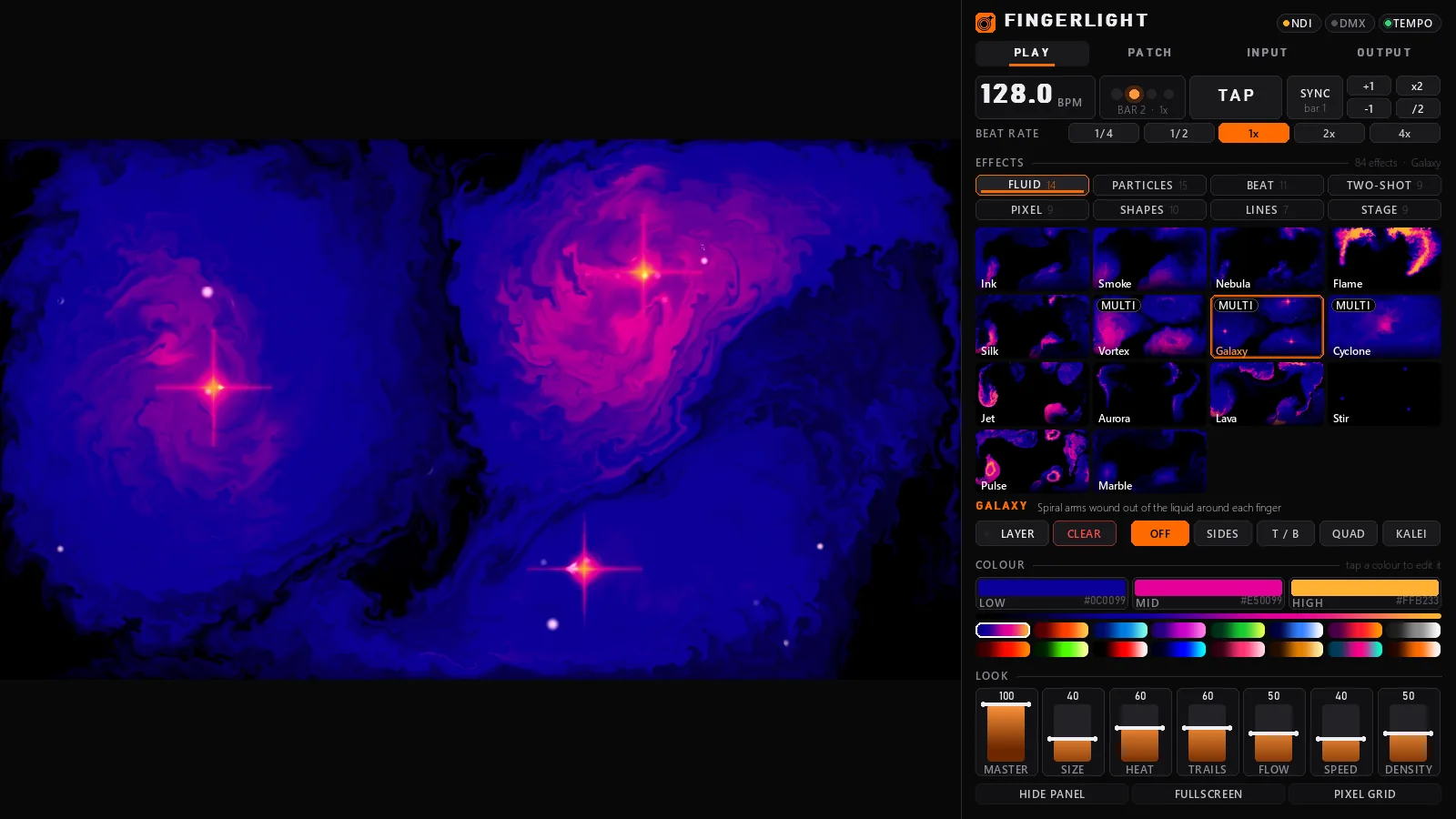
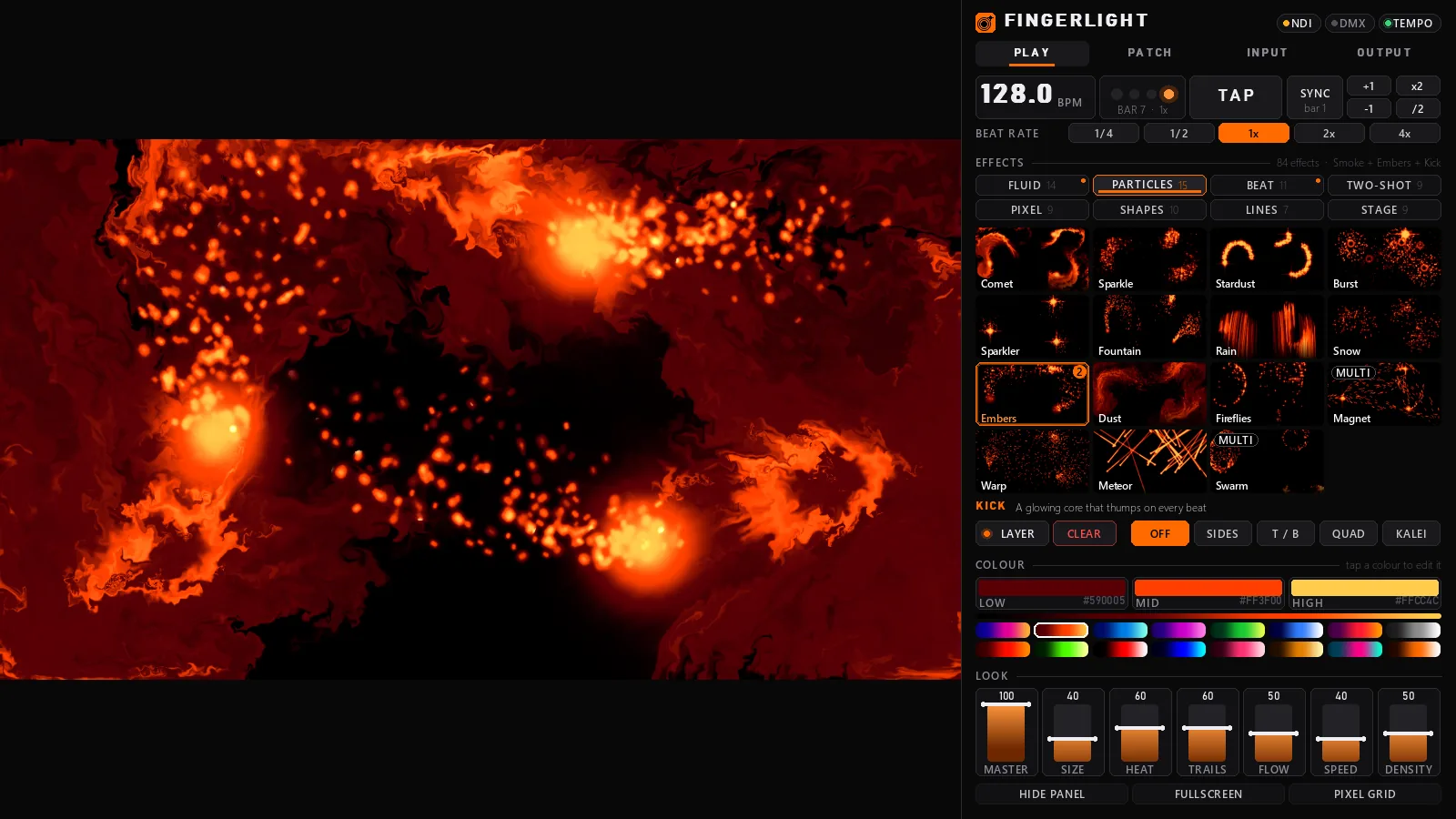
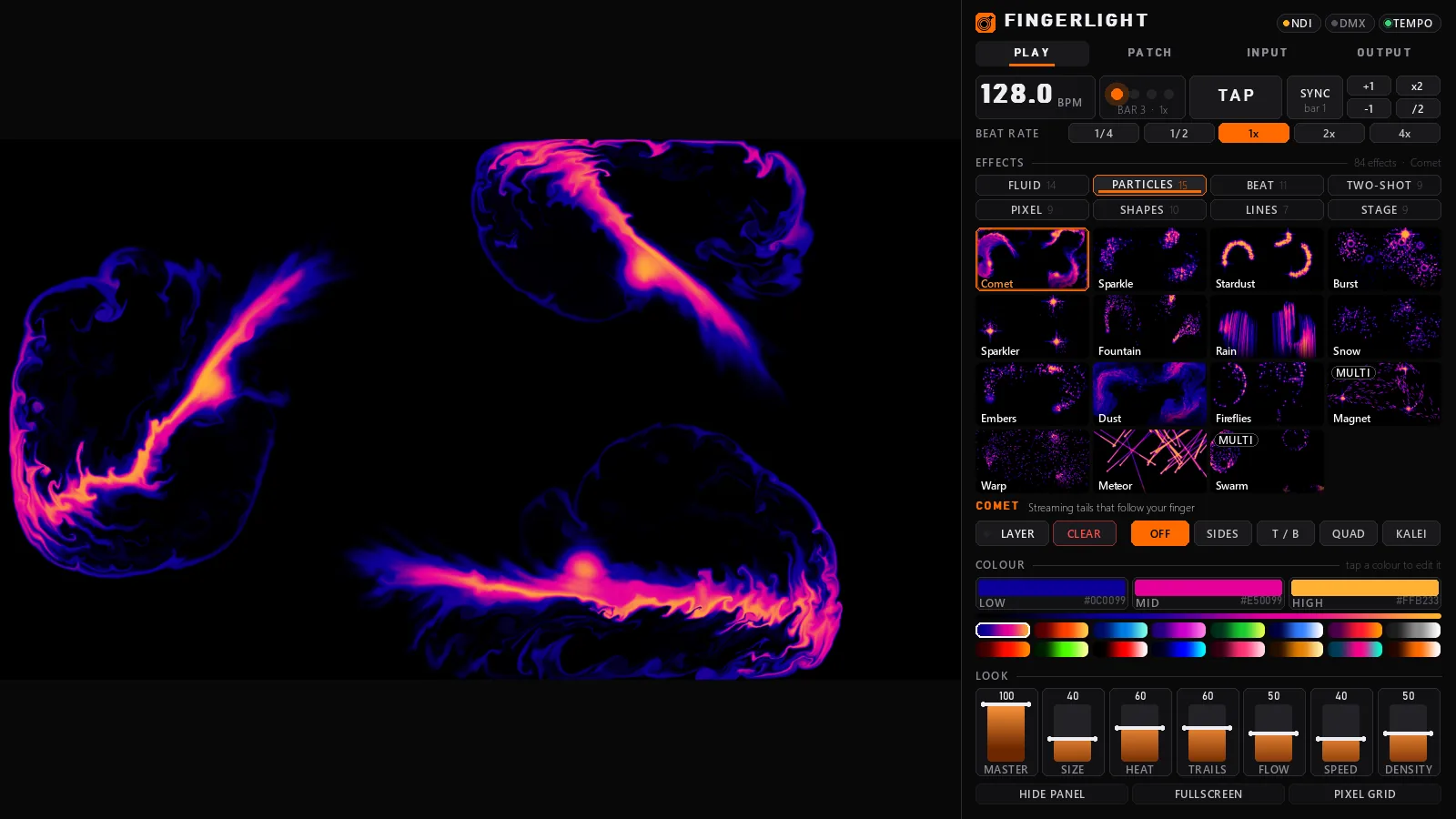
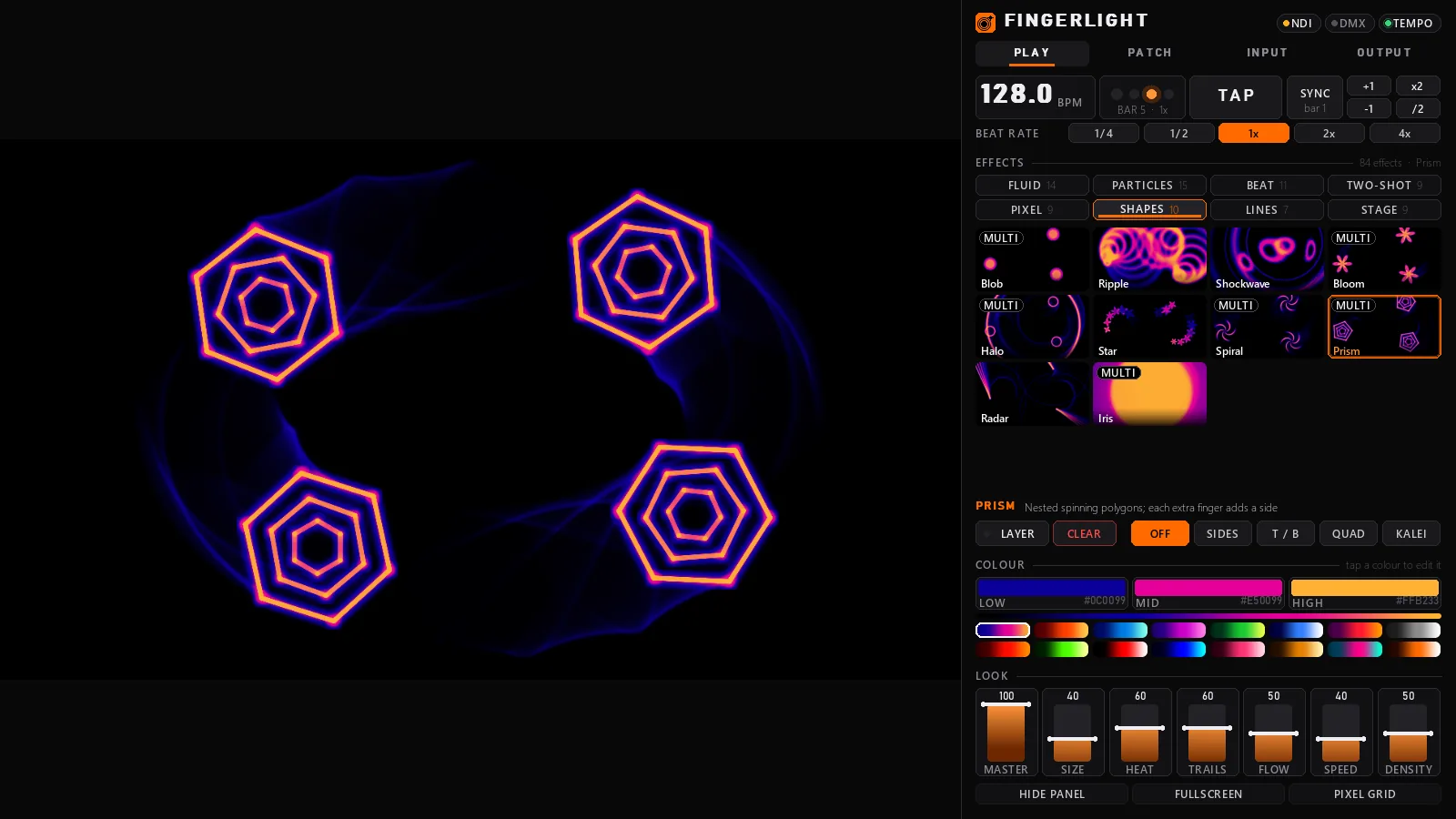
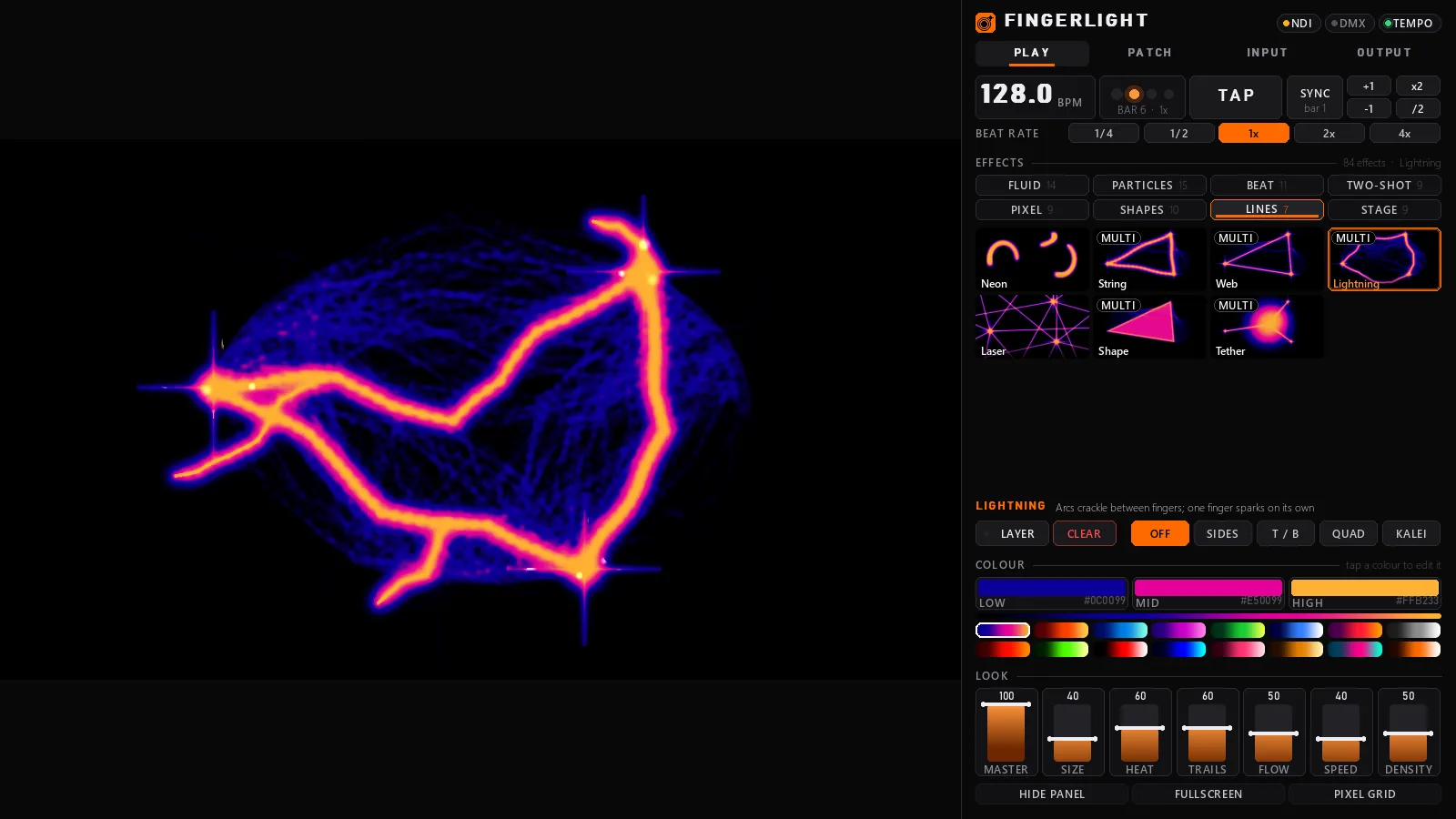
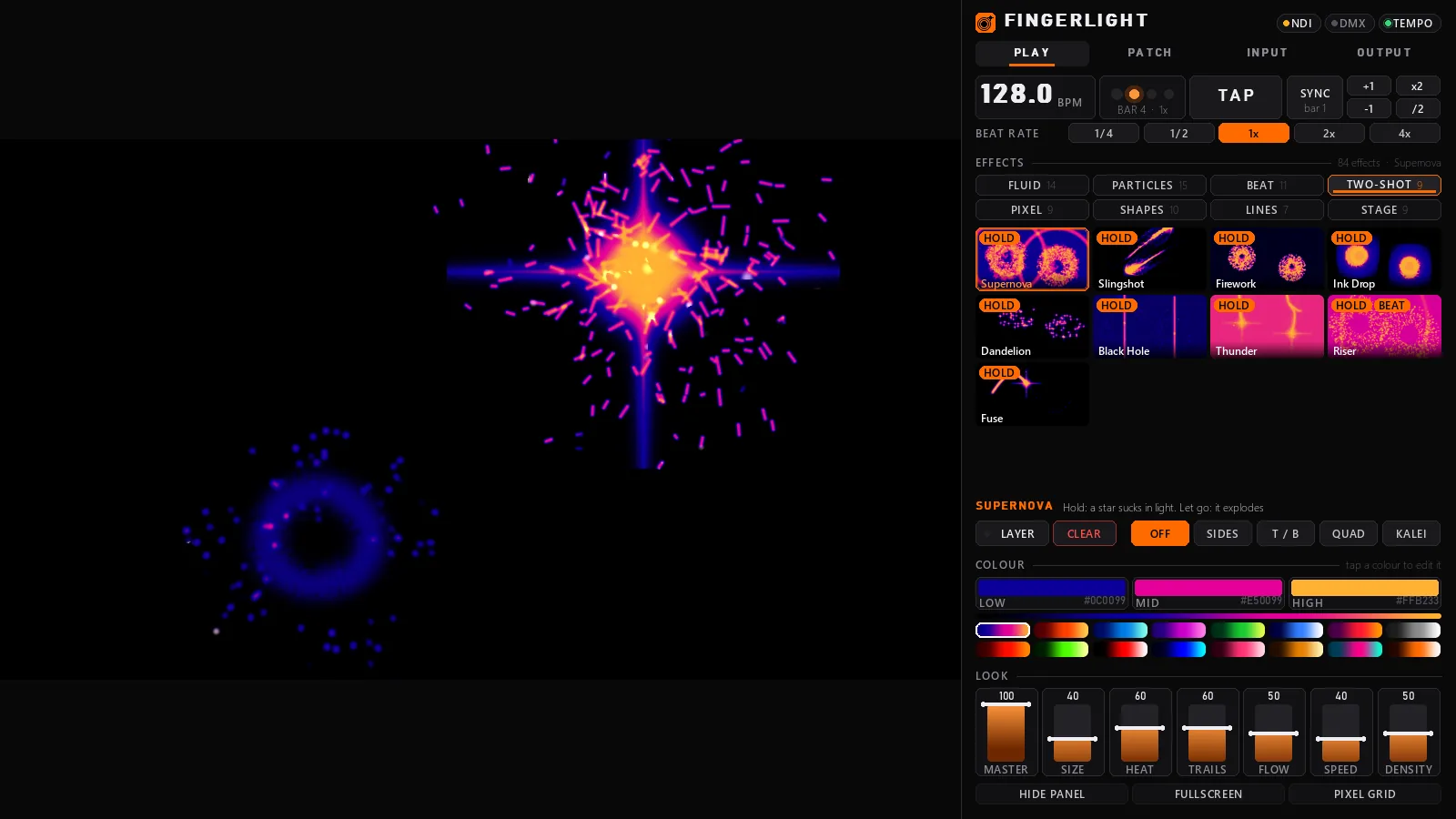
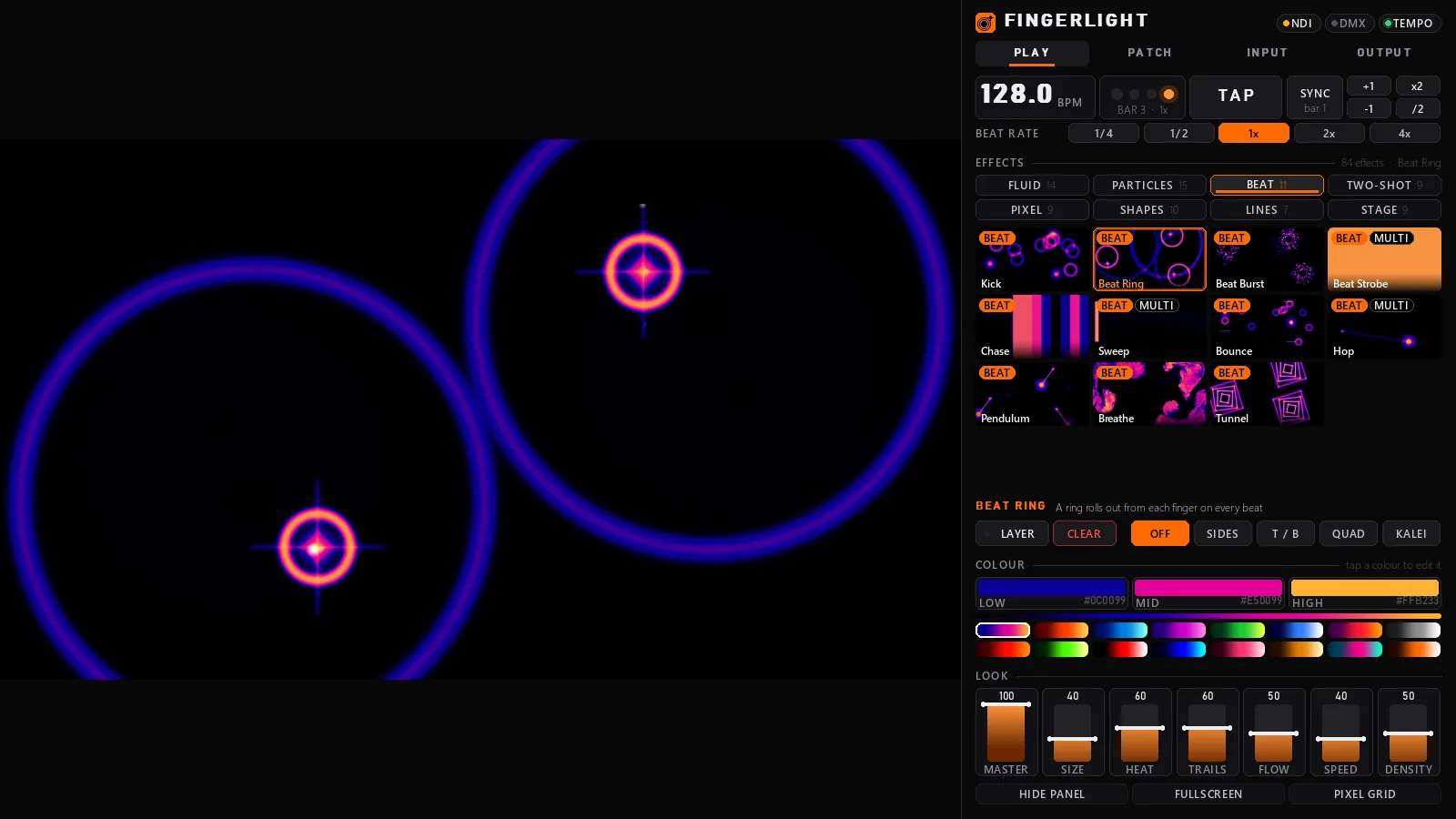
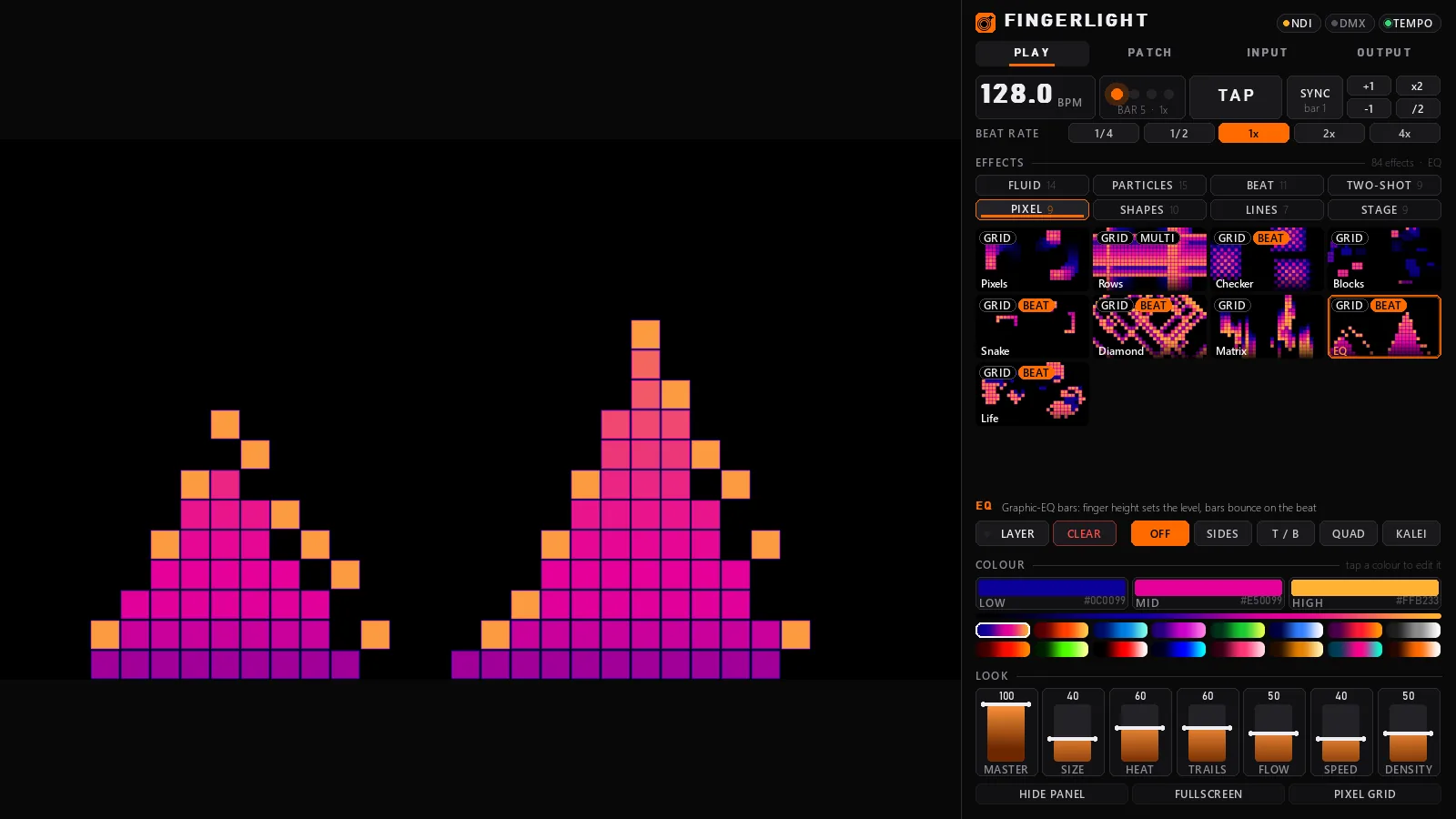
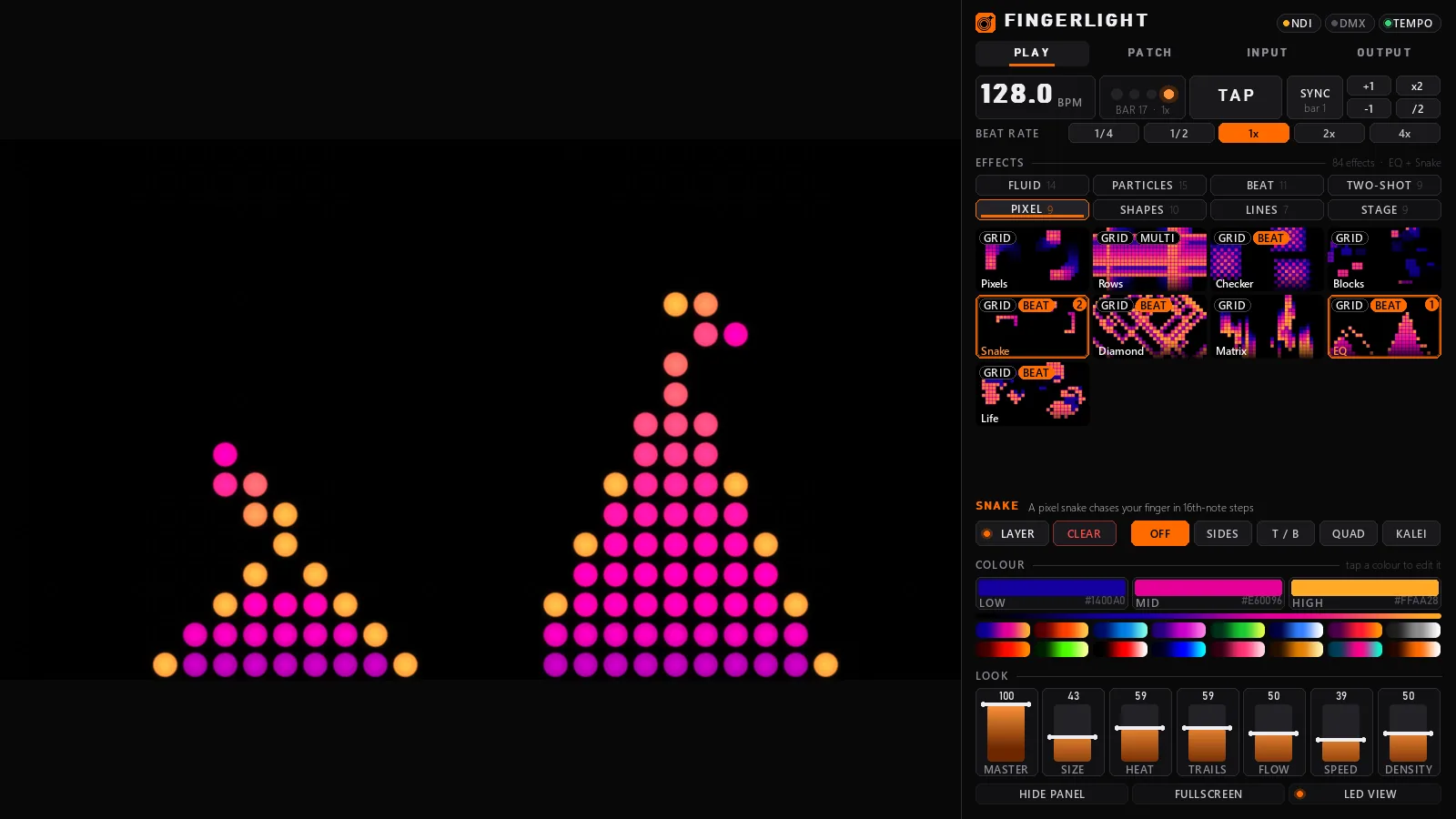
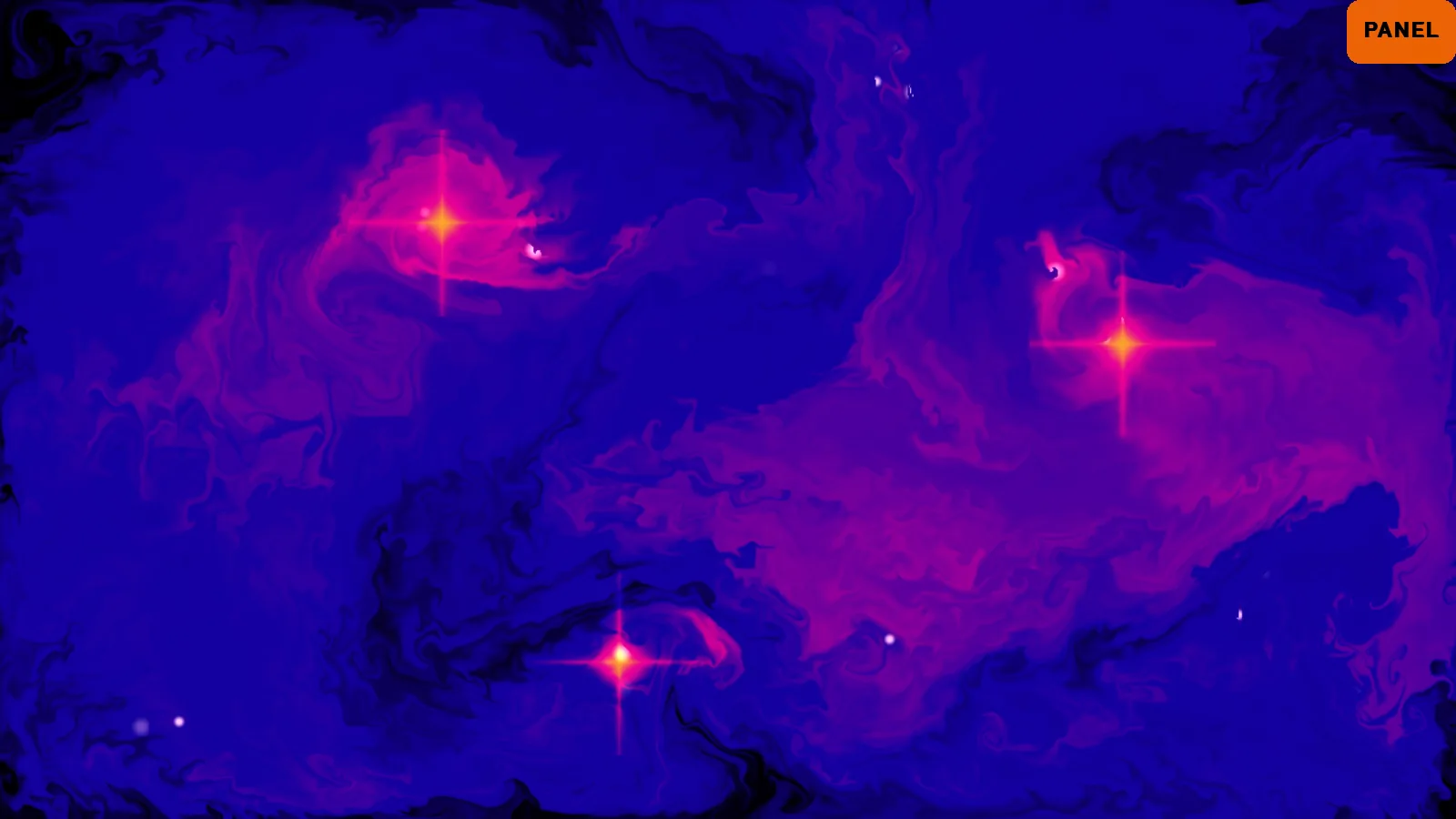
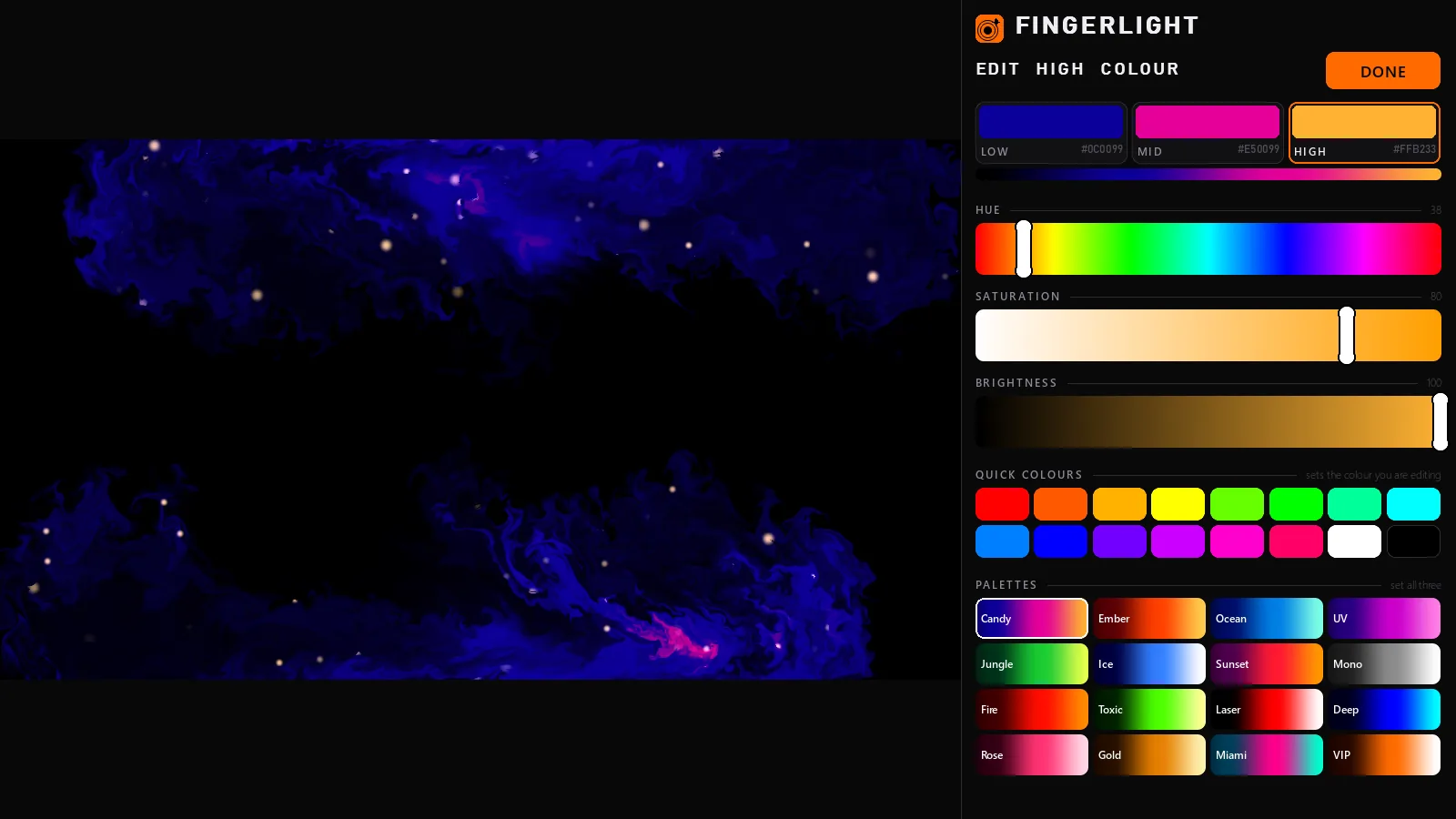
84 effects, all yours to play
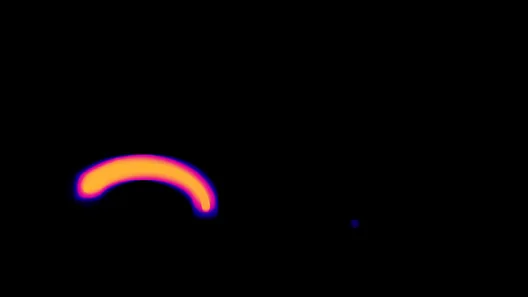
Each effect is a heat field coloured LOW, MID and HIGH, so one palette change re-lights the whole library. Pick a palette below to see it. These are real frames from Fingerlight.
Made for operators, run by touch
Locked to the beat
Tap, sync bar 1, nudge, x2 and /2, or let the console set the BPM and tap the beat.
Hold, then release
Supernova, Riser, Thunder and more: one look while you hold, a drop when you let go.
Crisp on low-res walls
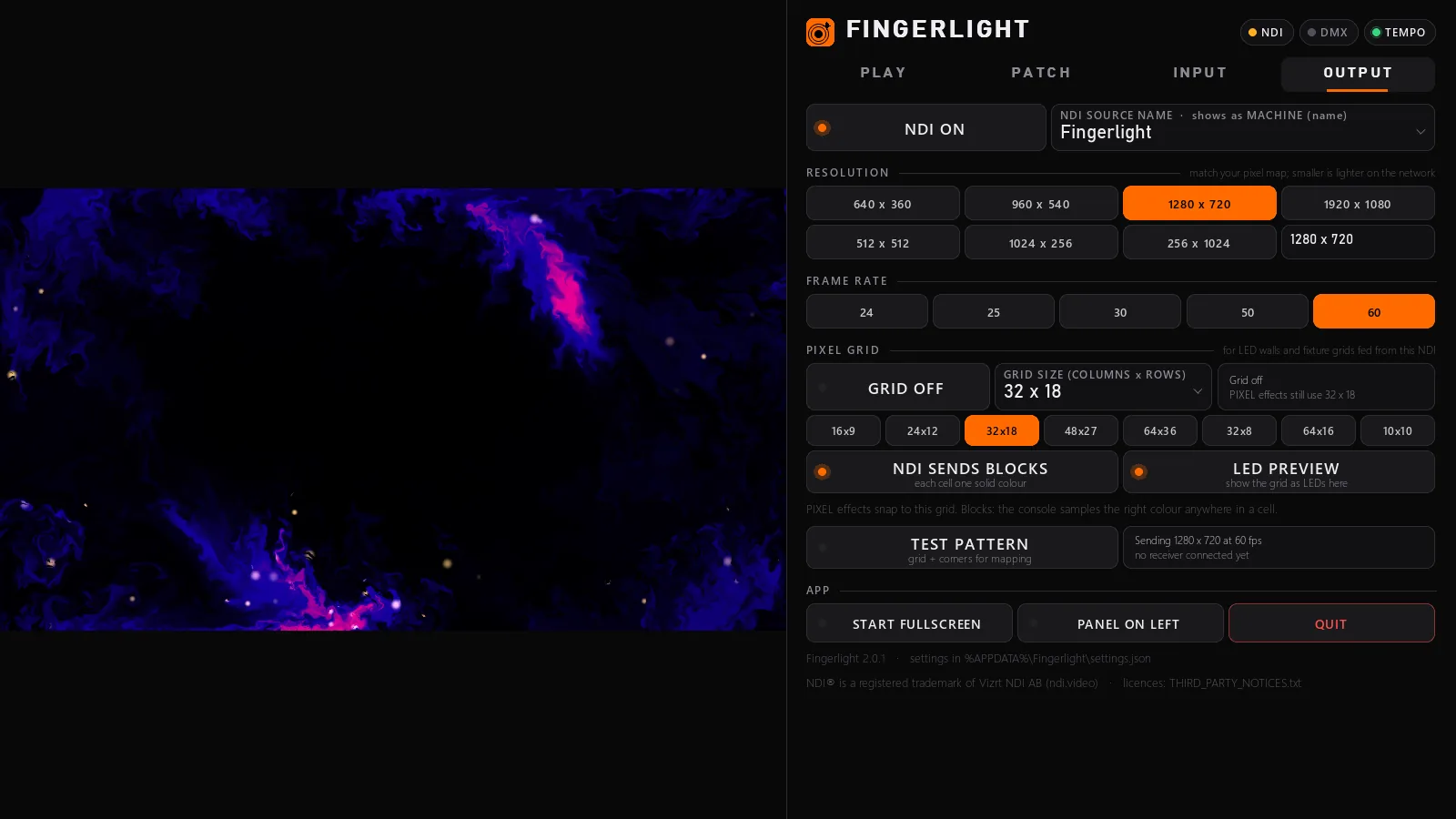
Set the columns and rows of your wall. NDI sends solid blocks so the console samples the right colour in every cell.
Stack and mirror
Stack up to six effects. Mirror Off, Sides, Top/Bottom, Quad or Kaleido.
Faders, not menus
Master, Size, Heat, Trails, Flow, Speed and Density on a bank of vertical faders.
No keyboard needed
Every setting, from patch to network interface, is reachable on the touch panel.
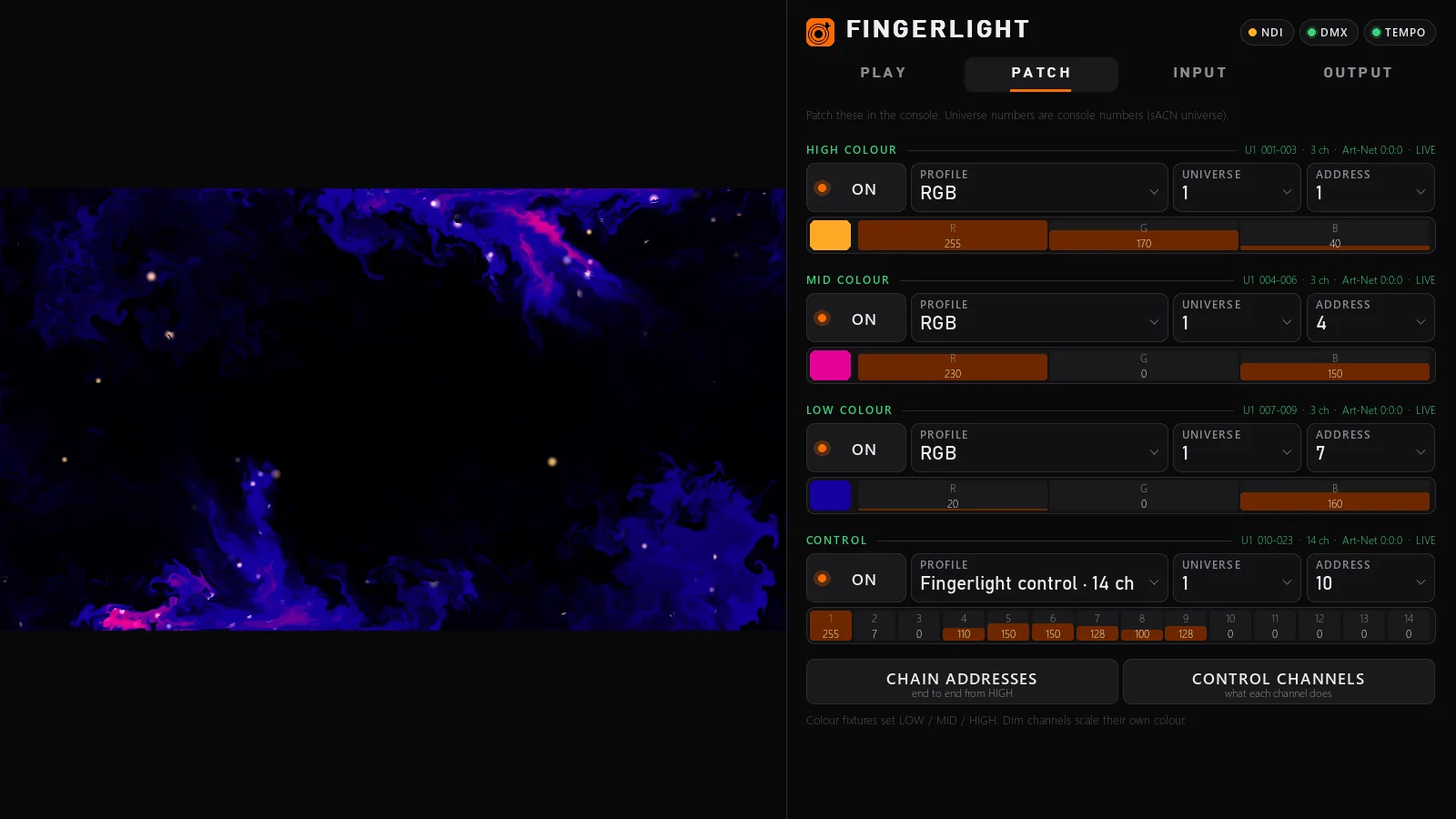
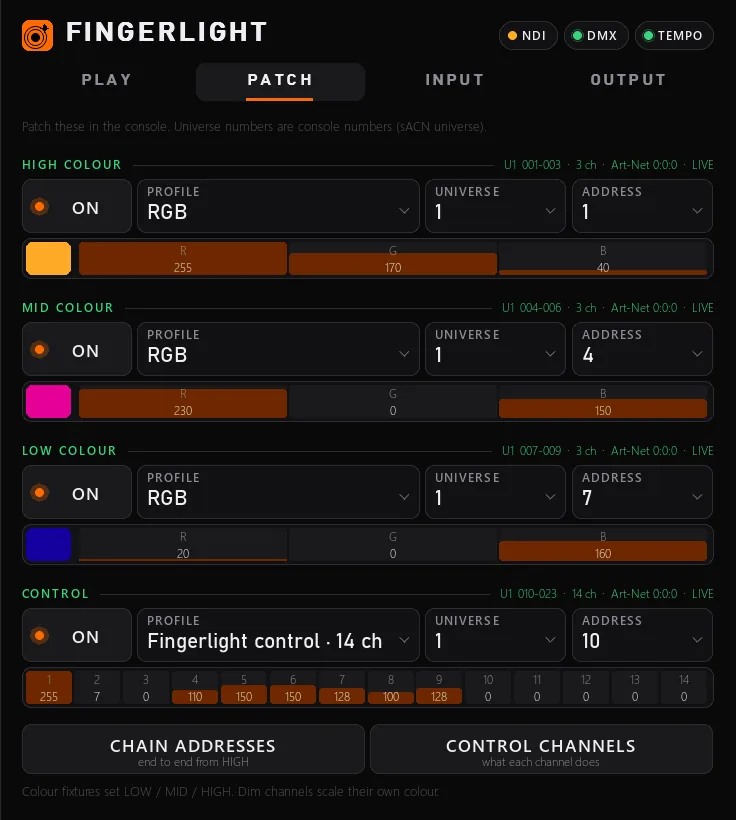
Patch it like a fixture
Three colour fixtures (HIGH, MID, LOW) and one control fixture, each on its own universe and address. Choose SHARED, where the last change wins, or CONSOLE, where the desk always overrides the panel.
GDTF fixture profile for the control fixture: see Downloads.
| Ch | Control fixture | Notes |
|---|---|---|
| 1 | Master | |
| 2 | Effect | 3 DMX values per effect |
| 3 | Layer effect | |
| 4 | Size | |
| 5 | Heat | |
| 6 | Trails | |
| 7 | Flow | |
| 8 | Speed | |
| 9 | Density | |
| 10 | Mirror | |
| 11 | Flash | |
| 12 | Clear | |
| 13 | BPM | 0 = leave alone, 1 = 60 … 255 = 314 BPM |
| 14 | Tap | Flash on the beat to tap tempo |
$49 this Black Friday
One-time purchase, no subscription. Use it on 2 machines (main and backup), with 12 months of updates. Regular price $99. From Black Friday to Cyber Monday, enter code SWOOSH at checkout and it is $49.
The free demo is the full app with a FINGERLIGHT watermark over the output. Buy a key and the watermark goes away, no reinstall.
14-day money-back · Your key arrives by email and on the thank-you page · By buying you agree to the license agreement · Refunds and privacy · Questions: jake@visuallyimpressive.com
Per-user installer with Start-menu and desktop shortcuts. No admin rights. Settings carry over between upgrades.
Try the free demo first: it installs exactly like the full version, so you know it runs on your machine before you buy. If Windows blocks it, see install help.
- SystemWindows 10 or 11, 64-bit
- DisplayMultitouch screen (a mouse works for one finger)
- GraphicsGPU with OpenGL 3.3
- Video outNDI to your lighting desk, media server or any NDI receiver
- Control insACN and/or Art-Net
- NetworkAllow Fingerlight on private networks when Windows asks
Why no Mac version?
macOS has no touchscreen support. Plug a touch monitor into a Mac and it acts like a mouse: one point at a time, usually through a third-party driver. Fingerlight is built around many fingers at once, so on a Mac the multitouch effects lose what makes them worth playing. The trackpad is multitouch, but it is not a screen you play on.
Windows has handled real multitouch for years. A small Windows mini PC next to the desk runs Fingerlight at a steady 60 fps, on the same network as your Mac and your console.
Everything you need, free
The app, the guides and the fixture profile. No purchase needed to download any of them.
Fingerlight for Windows
Installer, v2.0.2. Runs as the free demo until you add a license key.
Up and running in minutes
Install, activate, play, and get the picture into your console.
Every page and effect
The full guide: all 84 effects, the panel pages, DMX patch, grandMA3 setup and troubleshooting.
GDTF profile
For grandMA3 and other GDTF desks. Every effect's DMX range is named on the Effect channel.
If Windows or your antivirus blocks the installer
Fingerlight is new software, and Windows is careful with files it has not seen many times yet. Download it only from this page or the link in your purchase email, then:
- Chrome says the file is suspicious or uncommon: open the download list and choose Keep.
- "Windows protected your PC": click More info, then Run anyway.
- "Windows cannot access the specified device, path or file": right-click the installer, choose Properties, tick Unblock at the bottom, click OK and run it again.
- The file vanished, or Fingerlight says "Failed to start embedded python interpreter": your antivirus removed files. Open it (or Windows Security › Virus & threat protection › Protection history), choose Restore or Allow for Fingerlight, add
%LOCALAPPDATA%\Programs\Fingerlightas an exclusion, restart the PC and run the installer again. Your settings and license are kept.
Still stuck? Email jake@visuallyimpressive.com with a photo of the message and we will get you running. The User Manual has the same steps on its Troubleshooting page.
Fingerlight FAQ
Does Fingerlight work with grandMA3?
Yes, it is built for it. Fingerlight sends its picture as an NDI video source that grandMA3 can map onto LED walls, pixel strips and fixture grids. The desk steers it back over sACN or Art-Net: three colour fixtures plus a 14-channel control fixture, with a free GDTF profile. The user manual has a grandMA3 setup page.
Does it work with other lighting consoles and media servers?
Yes. The video goes out as standard NDI, so any NDI receiver can take it: lighting desks, media servers and video software. Control comes in over sACN and Art-Net, which every modern console sends, and the GDTF profile works on any GDTF desk.
Can I use it for pixel mapping LED walls and fixture grids?
Yes. Set the columns and rows of your wall on the OUTPUT page and Fingerlight sends solid blocks, so the console samples the right colour in every cell. The LED preview shows exactly what each cell will pick up.
What computer and touchscreen do I need?
Windows 10 or 11 (64-bit), a multitouch screen and a GPU with OpenGL 3.3. A mouse works for one finger. A small Windows mini PC with integrated graphics runs it at a steady 60 fps.
Does Fingerlight run effects on its own?
No. Output only comes from touch. Lift every finger and the picture fades to black, so it never fights your cues.
Is there a free trial?
Yes. The free demo is the full app with a FINGERLIGHT watermark over the output. Buy a key and the watermark goes away, no reinstall.
How much does it cost? Is it a subscription?
$99, one time, no subscription. It covers 2 machines (main and backup) and 12 months of updates, with a 14-day money-back guarantee.
Is there a Mac version?
No. macOS treats a touch monitor as a mouse, one point at a time, and Fingerlight is built around many fingers at once. A small Windows mini PC next to the desk runs it on the same network as your Mac and console.
License, refunds and privacy
Plain English, short. Questions about any of it: jake@visuallyimpressive.com.
14-day money-back
Not happy? Within 14 days of purchase, email jake@visuallyimpressive.com from the address you bought with and you get a full refund, no questions asked. The refunded key stops working.
Try before you buy: the free demo is the full app with a watermark over the output.
What we collect and why
- When you buy: your name, email and payment, handled by Stripe. We never see your card number.
- When you activate: your license key and a machine ID (a code made from your computer, not your files or name), kept on our license server so a key works on 2 machines.
- Your key email: sent from jake@visuallyimpressive.com through Google.
- The app only contacts our license server to activate, deactivate, or check at start that a key was not refunded. No ads, no tracking, no analytics.
We never sell or share your details. To see or delete what we hold, email us.
A real person
Lost your key, moving to a new PC, or stuck on setup: email jake@visuallyimpressive.com. Your key is also in the email you got when you bought.
Sold by Visually Impressive Productions, Las Vegas, Nevada. Patent pending.
End User License Agreement (shown again in the installer)
Fingerlight is made by Visually Impressive Productions, Las Vegas, Nevada ("VIP", "we"). By buying, installing or using Fingerlight you agree to these terms. If you do not agree, do not install it.
1. What you get
A paid license key lets you use Fingerlight on up to 2 computers at a time that you or your company control, for any show, event, venue or production, paid or unpaid. To move it to another computer, use DEACTIVATE on the old one first. Each license key is for one buyer (a person or one company). You buy a license to use the software, not the software itself.
2. Demo
Without a license key Fingerlight runs as a DEMO with a FINGERLIGHT watermark on the output. You may use the DEMO to try Fingerlight. You may not remove, hide or cover the watermark by any means other than a license key.
3. What you may not do
- Share, publish, sell or give away your license key or license file.
- Copy Fingerlight to more computers than your license allows.
- Reverse engineer, decompile, unpack or modify Fingerlight, or get around the license check or the watermark, except where the law allows it despite this agreement.
- Rent, resell or sublicense Fingerlight, or offer it as a service to others, without written permission from VIP. (Using Fingerlight on shows you work on for clients is fine.)
- Remove copyright, patent or license notices.
4. Updates
Your license includes updates released within 12 months of purchase. After that, the version you have keeps working with no time limit. Later versions may need a paid upgrade.
5. Activation and privacy
Activation sends your license key and an ID made from your computer (not your name or files) to VIP's license server. After activation Fingerlight works offline. When online, it may check that the key has not been refunded. Offline activation by USB stick is also available. Your purchase is handled by our store (Stripe), whose own terms and privacy policy apply to payment. What we collect and why is under Privacy above.
6. Refunds
14-day money-back: within 14 days of purchase, email jake@visuallyimpressive.com and you get a full refund, no questions asked. A refunded or charged back key is cancelled: it can no longer be activated and this license ends.
7. Ownership
Fingerlight, its effects, look and code belong to VIP and are protected by copyright. Patent pending. Fingerlight includes third party components under their own licenses, listed in THIRD_PARTY_NOTICES.txt next to Fingerlight.exe. Nothing in this agreement limits your rights under those licenses.
8. Show safety
Fingerlight drives lighting. You are responsible for how it is used on your rig, including flashing and strobe effects and their effect on performers and audiences, including people with photosensitive epilepsy. Test before every show and keep control of your console. Do not use Fingerlight for life safety, emergency or safety critical lighting.
9. No warranty
Fingerlight is provided "as is". VIP does not promise that it is free of errors, will run without interruption, or will work with every computer, touchscreen, network or console.
10. Limit of liability
To the fullest extent the law allows, VIP is not liable for any lost show, lost income, lost data, damage to equipment or any indirect or consequential loss. VIP's total liability is limited to the amount you paid for your license. Some places do not allow these limits, so they may not fully apply to you.
11. Ending this agreement
This agreement ends if you break it. Then you must stop using Fingerlight and delete it. Sections 3, 7, 9, 10 and 12 continue after it ends.
12. Law
This agreement is governed by the laws of the State of Nevada, USA. Any dispute goes to the courts of Clark County, Nevada, unless the law where you live says otherwise.